ObservePoint Tips: Building Confidence with ObservePoint Frameworks
 June 25, 2026
 53 mins



Summary
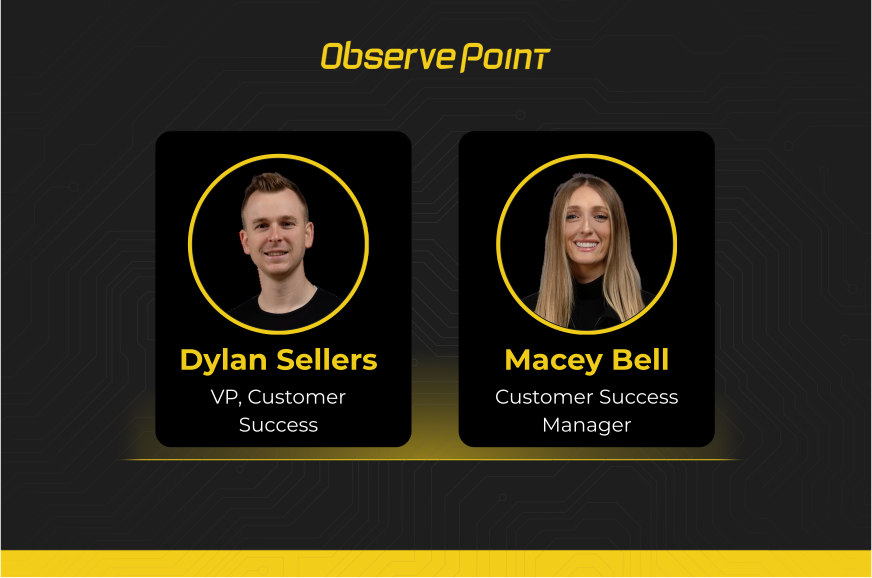
Web governance programs generate enormous amounts of data — and knowing which findings to prioritize, and whether you’re covering the right ground for your specific goals, is a challenge even for experienced teams. This session, hosted by Dylan Sellers (VP of Customer Success) and Macey Bell (Customer Success Manager), introduces ObservePoint Frameworks — expert-validated implementation guides designed to turn raw platform data into clear, actionable governance programs — covering topics including:
- What frameworks are and how they’re built against official sources and industry documentation
- A live walkthrough of the Adobe Analytics, Adobe Experience Platform, Google Analytics, and CIPA privacy compliance frameworks
- How to use the report gallery templates to immediately start running framework checks against your own site
If you’ve ever wondered whether your analytics implementation is complete or your site carries privacy compliance risk, this session gives you a proven starting point and a clear path forward.
Key Takeaways
-
Frameworks give you an expert-validated roadmap, not just a checklistEach ObservePoint Framework is built from official sources — actual laws, platform documentation, and industry experts — so every check comes with a clear rationale and a citation, giving you confidence that what you're measuring actually matters.
-
You can start running framework checks today with no setupThe ObservePoint reporting gallery already includes ~25 pre-built report templates tied to framework checks. Search for your analytics platform or regulation, open a template, save it, and you have an actionable report against your own site data immediately.
-
Analytics frameworks and privacy frameworks serve different purposesThe Adobe Analytics framework is about implementing Adobe correctly to maximize data quality — it's not a compliance guide. Keeping these concerns separate helps teams assign the right owners and avoid conflating implementation health with regulatory risk.
-
Labeling saved reports is the best way to organize framework work todayUntil a native frameworks dashboard is available, tagging saved reports with a framework label (e.g., "Adobe Analytics," "CIPA") lets you filter and revisit your full set of framework checks quickly without hunting through the report gallery each time.
Speakers


Webinar Transcript
Thanks everybody for joining this month's ObservePoint Tips webinar on frameworks. Today we're going to introduce you to some of the resources at your disposal to feel more confident using ObservePoint to achieve your team's and company goals. I'm Macey, a success manager who probably works with some of you in attendance. Hosting with me today is Dylan Sellers, our VP of Customer Success. We want to give everybody a minute or two to trickle in. While we do — who is everybody's favorite for the World Cup this year? With us being based in the US, it's been super fun to see all the tourists and events going on. I grew up playing soccer, so it's really exciting to watch, especially seeing some world records set this year and teams that have never made it through advancing.
I watch the highlights on YouTube after the games with my kids. They're getting into soccer — I was actually in Brazil during the 2014 FIFA World Cup, and the passion there for soccer is out of this world. I'm all in on Brazil this year. Every four years, it's a party.
I know, it came up so fast. I would have gotten tickets if I'd been more prepared.
Alright, let's get started. For today's agenda, we'll start with some recent product releases, then introduce frameworks — what they are, walk through a demo, and show you how to use frameworks to start building in ObservePoint. Then we'll cover how to remediate based on what you find, and save time for Q&A at the end.
First, a reporting UI update. Our gallery reports — the pre-built templates available to you — now have descriptions for every single one. We also have banners highlighting the most-used reports, newly added reports, associated charts, and the use cases each report covers. As you interact with gallery reports, customize them, and save them, there's now a major quality-of-life update: you can add labels to saved reports and group by those labels — essentially a folder structure. The biggest benefit is that the same report can carry multiple labels and exist in multiple folders.
Next, two new columns in the pages report template: All Page Cookies and All Page Links. The All Page Cookies column lists every single cookie found on a given page URL in one column. You can add a filter to only show URLs that do not contain a specific cookie — an AMTV cookie, for example — so you immediately see every URL where a critical cookie is missing.
This unlocks a really important question we haven't historically been able to answer well: which pages are missing a critical or required cookie? That applies to privacy compliance and analytics alike. You can filter by cookie name — or by the absence of a cookie name — and get that list very quickly. We recommend using contains logic. Really powerful.
Similarly, the All Page Links column lists every single link on a page. Several customers have been trying to find all pages with a deprecated link, or understand how many links exist on a particular page — this is exactly what that's for.
A popular use case here is confirming that required links — like a privacy policy — are present in the footer of every page. This won't tell you where on the page the link appears, but it will validate that every page has it. On the left in square brackets is the link text; on the right is the hyperlink itself. You create a pages report, filter by this column, and you can find every page where a required link is missing. And if you've recently updated a URL, you can verify the latest version is present everywhere.
Two simple product updates, but each unlocks a lot of different use cases. Read more in the announcements section of the platform, or work with your CSM to see what's relevant for you. The last product update is also in reports: we now have undo and redo buttons. This is a big quality-of-life improvement — it's so easy to accidentally delete a filter or add a column that doesn't do what you wanted, and now you can just undo it.
I've been waiting my whole life for this undo button to appear.
Alright, Dylan — I'll kick it over to you to introduce frameworks.
I'm so excited about this topic — it's become a passion project of mine. It's all about helping customers have more confidence in how they interpret the data we're collecting. ObservePoint collects a lot of data, and we're going to continue collecting more. Now we're adding an interpretation layer — one that lets you get actionable insights with confidence.
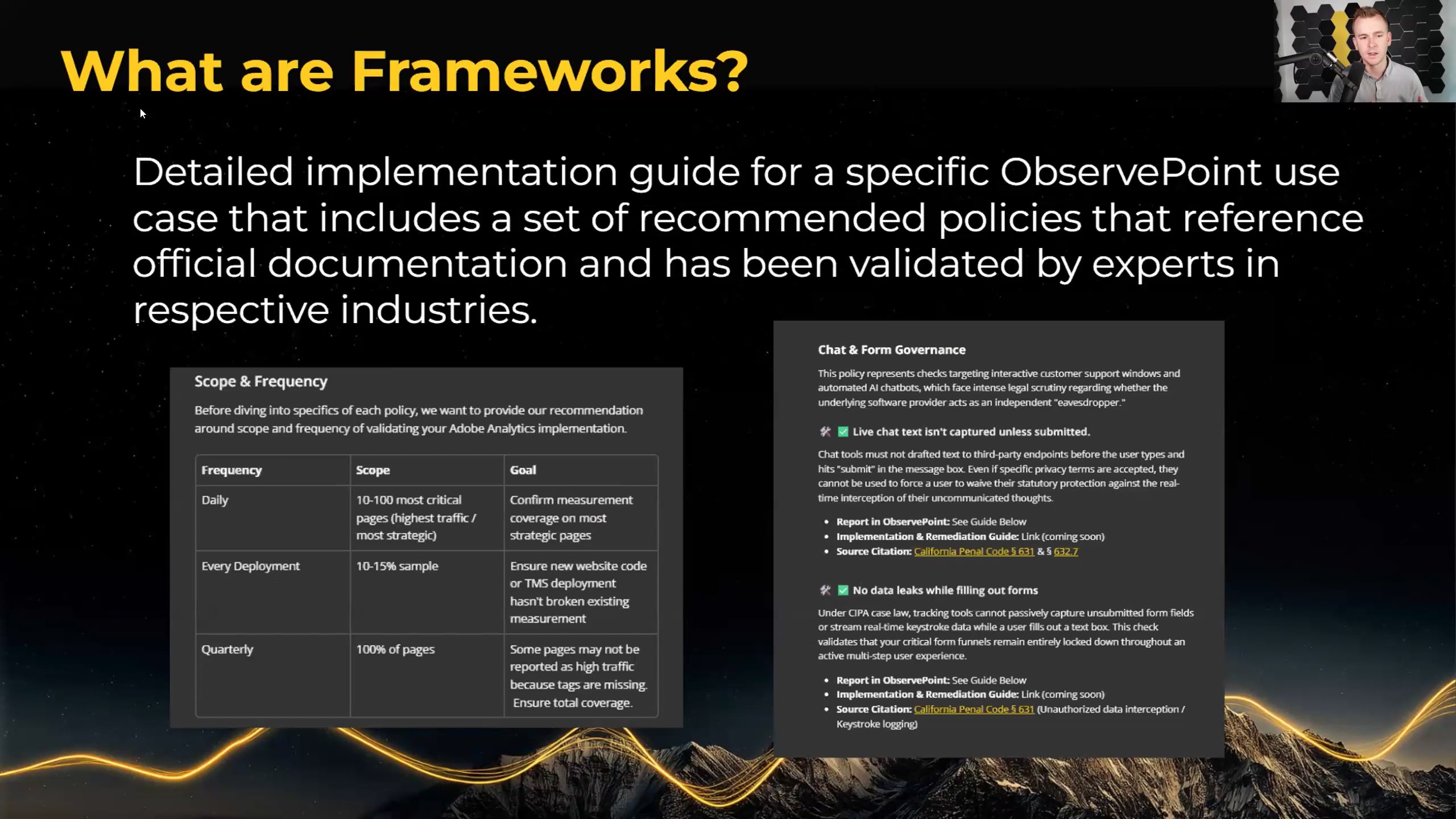
What are frameworks? They're detailed implementation guides for specific ObservePoint use cases, comprising a set of recommended policies that reference official documentation validated by experts in their respective industries. Every framework covers recommended scope and frequency: what's the expert opinion on how often to test, how many pages to include, and what the purpose of each test frequency is. You can also see an example of a policy from our CIPA — California Invasion of Privacy Act — framework, specifically on chat-informed governance: requirements related to forms, chatbots, and chat experiences on your website. Every framework is organized around a list of requirements we call checks, and behind each check is expert opinion grounded in official sources. For example, we cite California Penal Code 631 — the actual governing law behind CIPA.
Background on how we build these: I'm the primary author of most of this content — it's become something like a doctorate thesis for me. Each topic is researched heavily. We do use AI to assist, but we're very cautious about AI's tendency to give answers it thinks you'll like, or to flip-flop on debated legal questions. If we use AI, we use it to find official sources — everything has to be grounded in a good source. Every check is validated against official documentation. When an official source doesn't exist in published form, we go to an expert instead.
We also identify only the checks that best align with ObservePoint's capabilities — these frameworks could be massive with hundreds of requirements, but we distilled them down to what's relevant for web governance and what ObservePoint can track today. We also call out processes that should happen outside ObservePoint. A good example in our CIPA framework: regularly reviewing piggybacking tags. ObservePoint provides reporting, but you still need to scrutinize which tags are piggybacking off others and which are approved by your organization.
Frameworks are published in HelpDocs at help.observepoint.com. We've also recently added around 25 report templates to the gallery that are tied directly to framework checks — you can access those today, and more are coming. For most of you, the gallery is where you'll start interacting with frameworks after today.
There's a lot more to come. We're developing additional assets to go with each framework, and we're excited about deeper platform integration over time. The vision is a world where whenever a new regulatory requirement appears, we'll have a framework ready. We'll also support custom frameworks — where you can disable or mute specific checks temporarily, or exclude requirements that don't apply to your organization. We're targeting a native frameworks capability in the platform later this year.
To find the frameworks today, go to help.observepoint.com and search "web governance frameworks" or "frameworks." There's also a QR code in the slides that takes you directly to the frameworks menu. We'll walk through it live now in the demo.
Demo time. We're going to walk through two things: the ObservePoint Web Governance Frameworks help doc, and then the reports gallery. The help doc is designed as a menu — the introduction to the concept, then the frameworks themselves organized by category. Today we have web analytics and privacy compliance, with more categories coming. There are "coming soon" labels for the ones we're developing, and we'll be asking at the end which frameworks you'd like us to prioritize next. The four available today are Adobe Analytics Implementation, Adobe Experience Platform Implementation, Google Analytics Implementation, and CIPA.
From the menu, drill into any framework. Adobe Analytics Implementation gives you an overview, a list of policies and checks, icon definitions, scope and frequency recommendations, and best practices.
Every check is a statement we want to be true. Under the tag health policy: "Adobe Analytics tags return a success status code." That's basic hygiene — confirming that Adobe servers are receiving your data. Each check has a brief summary of why it matters.
Each check links to three things. First, a template report in the gallery — pre-filtered, already named, with a description. Zero rows in a report is a good sign: it means no issues found in your account. Add columns, save it, and the report is yours.
Second, an implementation and remediation guide — covering setup in ObservePoint, common failure status codes, causes, and remediation steps.
Third, a source citation from the highest-authority source available — typically Adobe Experience League for Adobe checks, or the actual California legal code for privacy checks.
Some checks require additional configuration from you — for example, the check validating campaign tracking codes surviving redirects needs your organization's specific parameter format. Those checks are marked with a configuration icon.
At the bottom is a Documentation Processes section with recommendations like maintaining a business requirements doc, technical spec doc, solution design reference, and taxonomy guide — standard Adobe best practices. We provide the building blocks, and you can work with Adobe consultants for more advanced guidance.
Now let's look at the gallery inside ObservePoint. Search "Adobe Analytics" in the gallery search bar and you'll find all the Adobe Analytics framework reports — all labeled as framework reports and marked as new. Each has a description, use case label, and report type.
One important note: if you see a GPC-enabled audit in the results, we don't expect Adobe Analytics to be firing there — factor that in when reviewing.
My recommendation for Adobe Analytics users: go through the gallery, click every framework report, save it, and share the insights with your teams.
For anyone dealing with Adobe Experience Platform migrations — and they'll come for everyone eventually — we've built a parallel AEP framework. Some differences exist, like data stream IDs instead of report suite IDs, but a lot of the checks and principles overlap. The same applies for the Google Analytics framework.
For CIPA, there's one gallery report — pages with CIPA noncompliance — because most CIPA checks require advanced configuration. This report uses a California location with no pre-audit actions, showing what technology is present when a visitor arrives with no consent banner interaction. Note that analytics tags are debated in the CIPA world, so use judgment there. Make sure you're using recent data and the California location in your audit.
Once you've saved these reports, share them with your teams, favorite them, and add labels. I strongly recommend labeling with something like "framework" so you can pull all your framework reports up with a single search.
Quick question from Tyrone: any thoughts on providing an overview or dashboard for framework results — an organized way to see everything at once? Labels are a great approach for now, and dashboards are coming soon for charts.
Great question, Tyrone — it's coming. Very near-term, we're adding a frameworks filter to the gallery so you can select a framework and find all its associated reports in one place. Right now you can search by name, but some report names don't include the framework name, so you might miss a few. The frameworks filter closes that gap.
Dashboarding is the bigger piece. We're bringing full charting capability into a dashboard you can view in table or visualization format — imagine each framework check showing a count of issues, and drilling into the page list when the count is greater than zero. We also plan to include dashboard templates, so you'd pick a framework template and have the whole thing pre-configured. Dashboarding is targeting Q3.
In the meantime, if you want a rolled-up view before dashboards are ready, we can build a report card. If you're interested, reach out to Macey or me directly, or contact your CSM.
Longer term, a fully integrated frameworks experience in the platform is targeting Q4. We're still in design, but it's a big focus for the rest of this year.
Tyrone followed up: currently I need to go into each report individually to see results. It would be great to have a rolled-up view — similar to the audit summary view today — so I can decide where to go for a deeper dive.
Tyrone, we'll build a report card and make it as close to live data as possible. Let's talk offline. And if others are interested, reach out to your CSM or email me at dylan@observepoint.com.
A few frameworks currently in development: CCPA and GDPR are high on the list. Site health — optimal load times, good page status codes, no broken links — will be its own framework. HIPAA compliance is a high priority for healthcare. SEO and AI optimization are also on the roadmap, though those areas are still maturing as domains. If you have a framework you're eager to see built, drop it in the chat or reach out.
Recap: frameworks are a strategic roadmap for implementing ObservePoint. Documentation is at help.observepoint.com. The gallery has out-of-the-box templates ready to go. And stay tuned for the frameworks filter, coming in just a couple of weeks.
One important note: nothing in these frameworks should be considered legal advice. They're recommendations and best practices, grounded in official sources — and we'll let you and your legal teams make the final call.
One more item: PI detection. This isn't directly tied to frameworks, but we're developing a PI detection solution and want your input to make sure we build it right. Scan the QR code in the slides or ask your CSM after the webinar — it's an 8 or 9 question Google Forms survey. There's also an optional question asking if you'd be open to a 30-minute Zoom interview with our product team. PI detection is near-term on the roadmap, and your feedback will directly shape what we build.
Q&A time. Sessions are recorded and available on our YouTube channel and at observepoint.com under resources. Reach out if you have any trouble accessing the recording.
Jessica asked for the PI detection survey link — sharing that in the chat now. The last question asks whether you'd be open to a 30-minute product interview — optional, but our team would love it.
Jessica also asked about the "pages with Adobe Analytics capturing non-ASCII characters" report — she's seeing Korean, Japanese, and Chinese pages appear and wants to know if that's expected. Best practice is to capture analytics values in English and use English as the standard taxonomy. Even on international sites, digital analytics implementers typically use English characters — Apple is a good example, using English in their analytics across all language sites. Non-ASCII characters can cause downstream data quality issues and corrupt analysis. Check the implementation guide for more detail.
One question on behalf of the audience. These frameworks are step-by-step guides with links into ObservePoint for actions we can take in the platform. Some of you may be aware we're developing an MCP server that lets AI interact directly with ObservePoint. How much could an AI accomplish on its own if you handed it one of these framework guides?
The ObservePoint MCP server is real, and we're excited about it. It's going to change the way you interact with the platform. For frameworks specifically, it will be really effective at advanced configuration steps — like setting up a query parameter survival report tailored to your specific campaign tracking code format. In initial testing it's been excellent at creating audits and building and maintaining journeys. I also envision it being capable of standing up an entire framework's worth of reports, though human validation of sources will remain important.
The MCP server runs outside of ObservePoint — you interact with it via tools like Claude Code, Cursor, and similar AI platforms. We don't intend to add cost for it. The MCP protocol is standard and transferable, and we plan to host it so you don't have to manage your own updates. Near-term, we're also planning an in-platform chat experience so you can make requests directly from within ObservePoint.
When AI capabilities are surfaced inside the platform, they will be disabled by default and opt-in. We know many organizations — especially in healthcare and financial services — have strict AI approval processes, and we're sensitive to that.
AI governance is still maturing across a lot of large companies. We want to make sure we're compliant with your organizational policies. If you're excited about MCP and want to get ahead of the approval process, reach out to your CSM now. The sooner you start, the sooner you can get your hands on it.
Last question from Jessica: she's been categorizing AMCV cookies as targeting, but our framework notes them as essential — can we clarify? The AMCV cookie is the key ingredient for stitching together sessions and building user profiles. By that nature, it could be considered non-essential from a privacy standpoint. But keep in mind: the Adobe Analytics framework is not about privacy categorization — it's about implementing Adobe Analytics correctly to maximize its value. The two frameworks serve different purposes.
Right — it's "essential" in the context of analytics success, not necessarily a strictly necessary cookie from a compliance standpoint. In an opted-in scenario, or where a user hasn't yet opted out, you'd want that cookie consistently present. In an opted-out state, it's a different story — in many cases we wouldn't expect Adobe Analytics to fire at all.
Great questions, everyone. Thank you, Jessica, and thanks to everyone who participated today. Go, whatever team you're rooting for in the World Cup — and we're excited for your feedback on frameworks. Have a great rest of your week.
Go Bosnia! That's what Jessica says. See you guys!