ObservePoint MCP Server
Turn Your AI Into an ObservePoint Power User
Connect your existing AI workspace to ObservePoint. Give your AI full platform capability to answer questions, build audits, manage consent rules, and automate your entire web governance setup.
Trusted by the World’s Most Trusted Brands


Why Use the ObservePoint MCP Server?

Get Answers Without The Hunt
Ask about your site's cookies or tags in plain English and get answers straight from your data. No digging through dashboards or guessing which report to run.

Automate Your Setup & Fixes
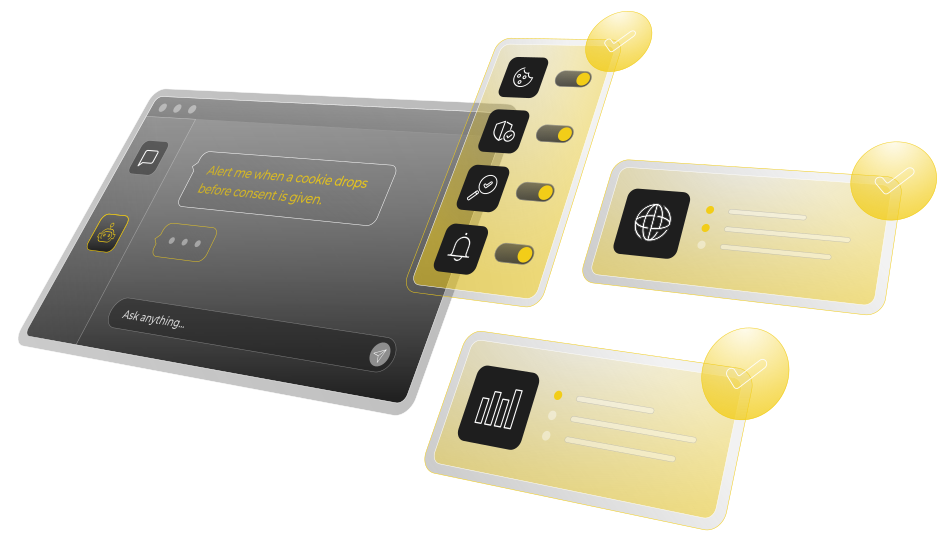
Tell your AI what you need and let it build Audits, Journeys, Rules, and Alerts inside your account. It fixes broken setups too, like repairing a broken Journey instead of rebuilding it by hand.

Connect Your Other Tools, Too
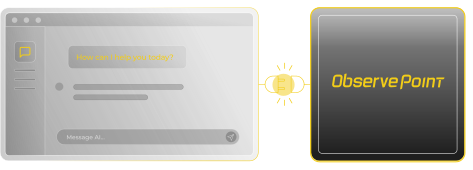
Connect other tools through their MCPs alongside ObservePoint. In one request, your AI runs the whole chain: ObservePoint finds the issue, your ticketing tool opens the ticket, and Slack posts the alert.

Minutes, Not Hours
Ask, and your AI builds the Journey, audit, or report in minutes, not the hours it used to take, or a wait on the one person who knows how.
How the MCP Server Works
Compatible with:
- Claude Desktop, Cowork, and Code
- Microsoft Copilot & Agent 365
- Google Gemini Enterprise & Antigravity
- OpenAI Codex

Ask It to Handle Tasks Like:
Request a Demo
Verify Consent Compliance
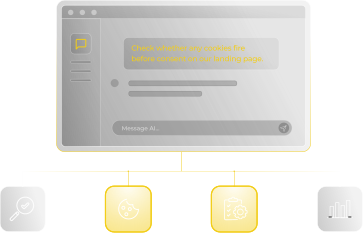
Ask which tags or cookies fire before a user opts in, and have the AI set up rules to block misfires.

Tag Misfires & Changes
Ask what changed since your last site scan to instantly surface missing or broken tags along with their source locations.

Configure Audits & User Journeys
Describe the user flow or pages you want to monitor, and let the AI build and launch the setup for you.

Automate Custom Alerts
Tell the AI what metrics or errors to watch, and set up automatic notifications the moment an issue occurs.
Customer Testimonial
That’s going to completely change the game for everybody involved.
— Brigon Abbott, Enterprise Data Strategy & Analytics Leader
Frequently asked questions (FAQs)
- Is this an AI product? keyboard_arrow_down
- No. It's an MCP server that works with the AI your company already uses.
- Which AI assistants does it work with? keyboard_arrow_down
- Any MCP-compatible client, in principle, since MCP is an open standard. Claude is the example we lead with.
- Where does my data actually go? keyboard_arrow_down
- The MCP server is on the same infrastructure as the platform, no new risk exposure from ObservePoint. It only processes data that's already in your ObservePoint account, the Audit, Journey, or Report you asked about, nothing new gets collected. From there, the response passes through your own AI harness and whatever LLM vendor you've connected it to, Claude or otherwise. That's a vendor you picked and manage, so you should already know their data-handling terms. Once your data reaches that layer, what happens to it is between you and that vendor.
- Does an AI-initiated Audit consume the account's subscription? keyboard_arrow_down
- Yes. It's a real Audit running against the same account, so it draws from the same subscription volume.
- Do I need to install anything? keyboard_arrow_down
- No software to install; ObservePoint hosts the server. But someone with admin rights on their AI platform usually has to add this as an approved connector or tool before anyone can actually use it, and most orgs run that through some kind of review process first.
- What can it actually do today? keyboard_arrow_down
- We designed the ObservePoint MCP server to do everything ObservePoint can do. If you find a gap, please let us know!
- What access or permissions does it need? keyboard_arrow_down
- When a user installs the ObservePoint MCP server, the first step is authenticating as that user. Hence, the MCP server has the same permissions as the user who installed it. No separate credentials to manage.
- How is this different from a customer just calling the ObservePoint API themselves? keyboard_arrow_down
- It's the same ObservePoint API behind the scenes. The difference is that the MCP server provides an AI-friendly interface.
Your AI + ObservePoint MCP Server.
Automate Difficult Configs.
No credit card required. Just clear results.